OVVO Camping
Product journal

What’s new at OVVO Camping

A clear record of the features and improvements that make day-to-day work at your property simpler.

07updates

Product update

Access & statisticsThe first update

See barrier passages, hour by hour

Automatic access statistics help you compare entries and exits and see when movement is busiest throughout the day.

Explore passage statistics

A clearer view of traffic

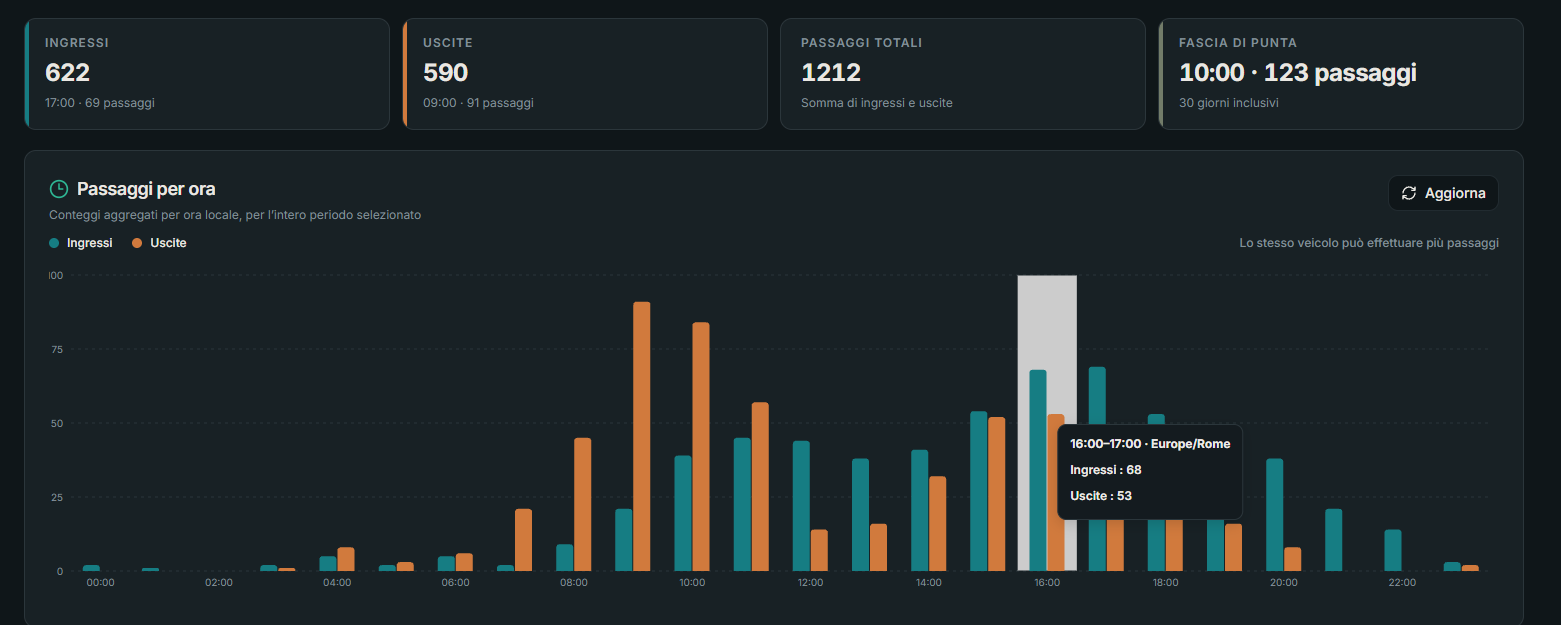
For the selected period, the summary shows total entries, exits and passages. It also highlights the peak time and the hour-by-hour trend, so you can compare activity throughout the day.

  • Recorded entries
  • Recorded exits
  • Total passages
  • Peak time
Example screen of access-passage statistics: a summary of entries, exits and total passages above an hourly chart split between entries and exits.
The image is an example of the interface; the values shown are not current product data. One vehicle may make multiple passages, so counts refer to recorded passages, not unique people or vehicles.

Product update

Phone-based accessThe second update

Start an unbooked arrival with a phone call

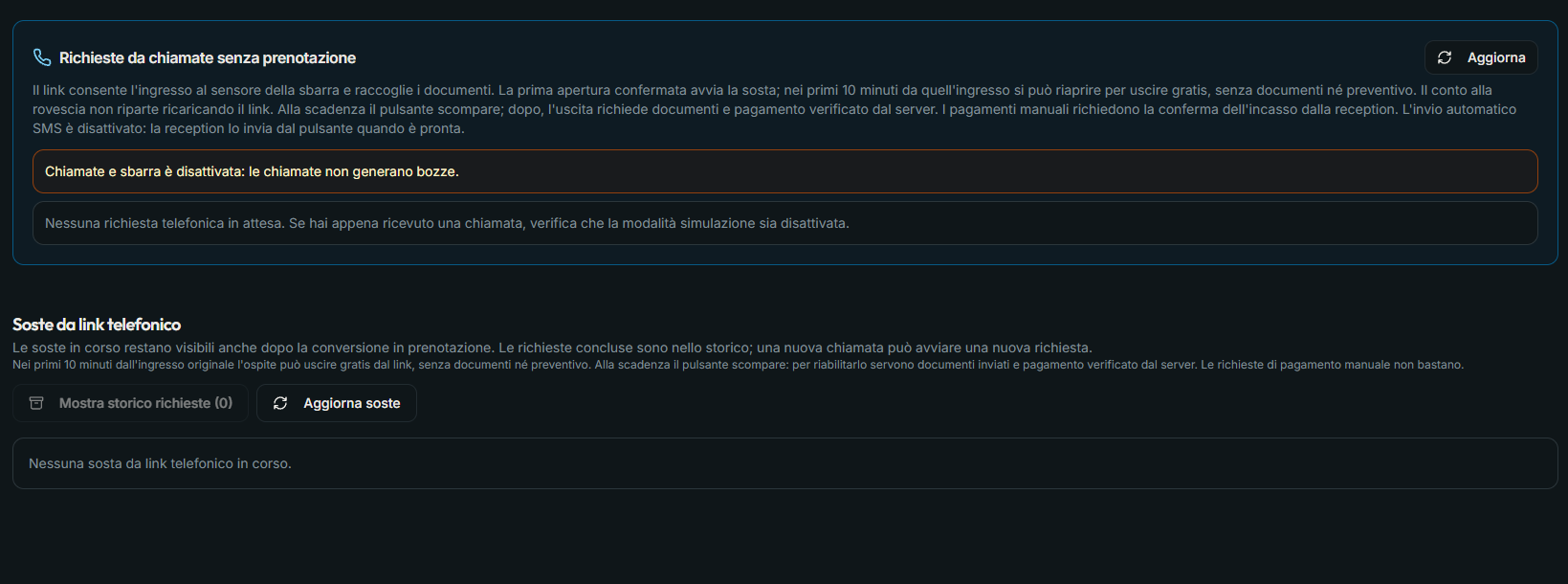
For guests without a reservation, a phone call can start an entry request. The system sends the guest an SMS with a link to use at the barrier.

How telephone entry works

The stay timer starts on arrival

When the guest opens the barrier from the link, the system records the entry time and starts tracking the stay. The call starts the process; opening the gate marks the start of the stay.

  1. 1The guest calls to request entry.
  2. 2The system sends an SMS with a link to reach and open the gate.
  3. 3When the gate first opens, the system records the arrival time and starts the stay timer.
Management panel for phone requests without a reservation and stays started through a phone link.
The screenshot shows the management panel with calls, the barrier and automatic SMS sending disabled. The described flow requires the necessary services to be enabled.

Product update

Online bookingsThe third update

Configure every detail of the booking form

Adjust the form’s colors, visible content and multilingual text in the management panel, then review the result in the preview before publishing.

Explore the online booking module

Appearance, visibility and copy in one place

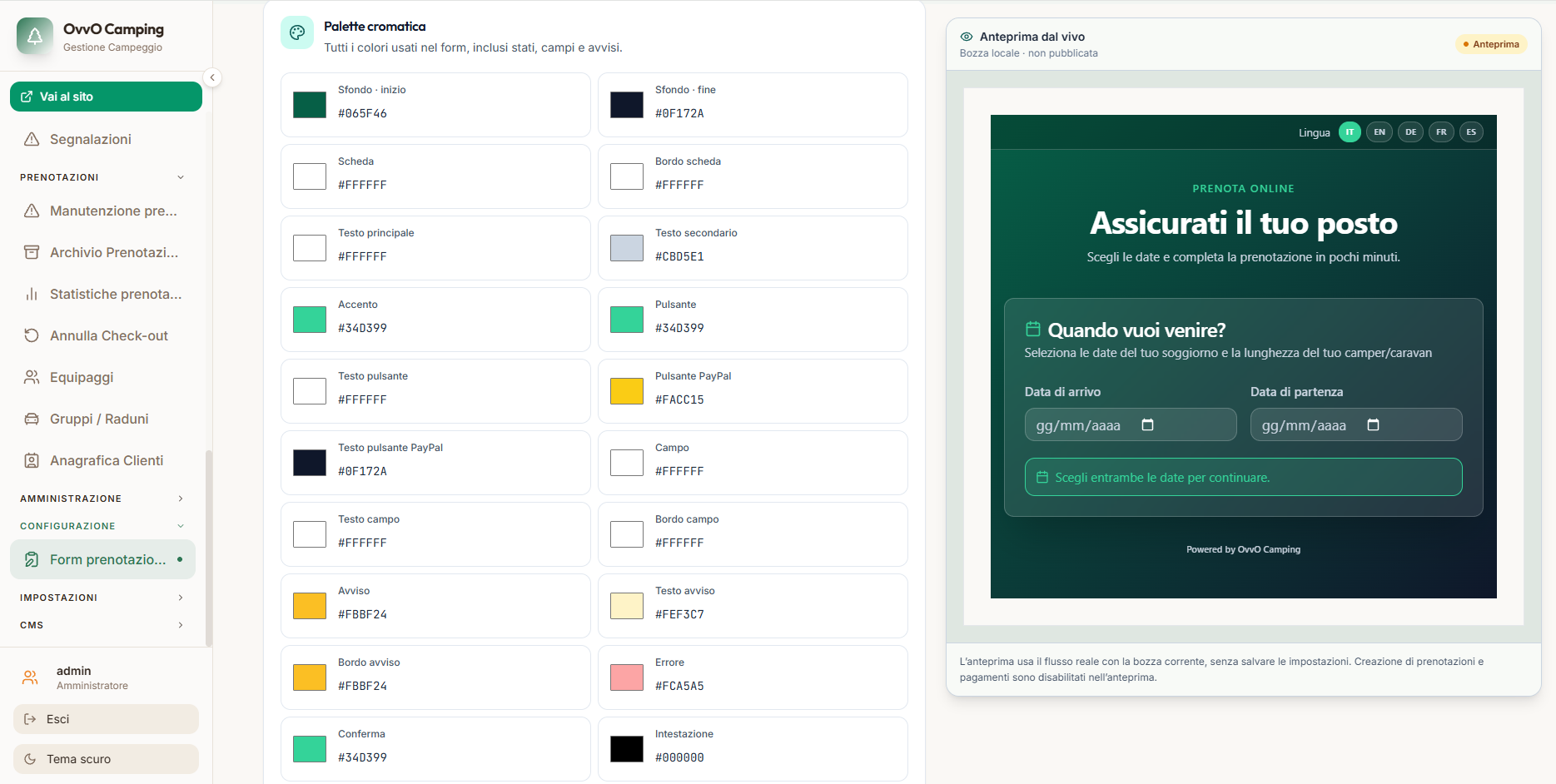
  • Choose colors for backgrounds, cards, fields, buttons, and warning, error and confirmation states.
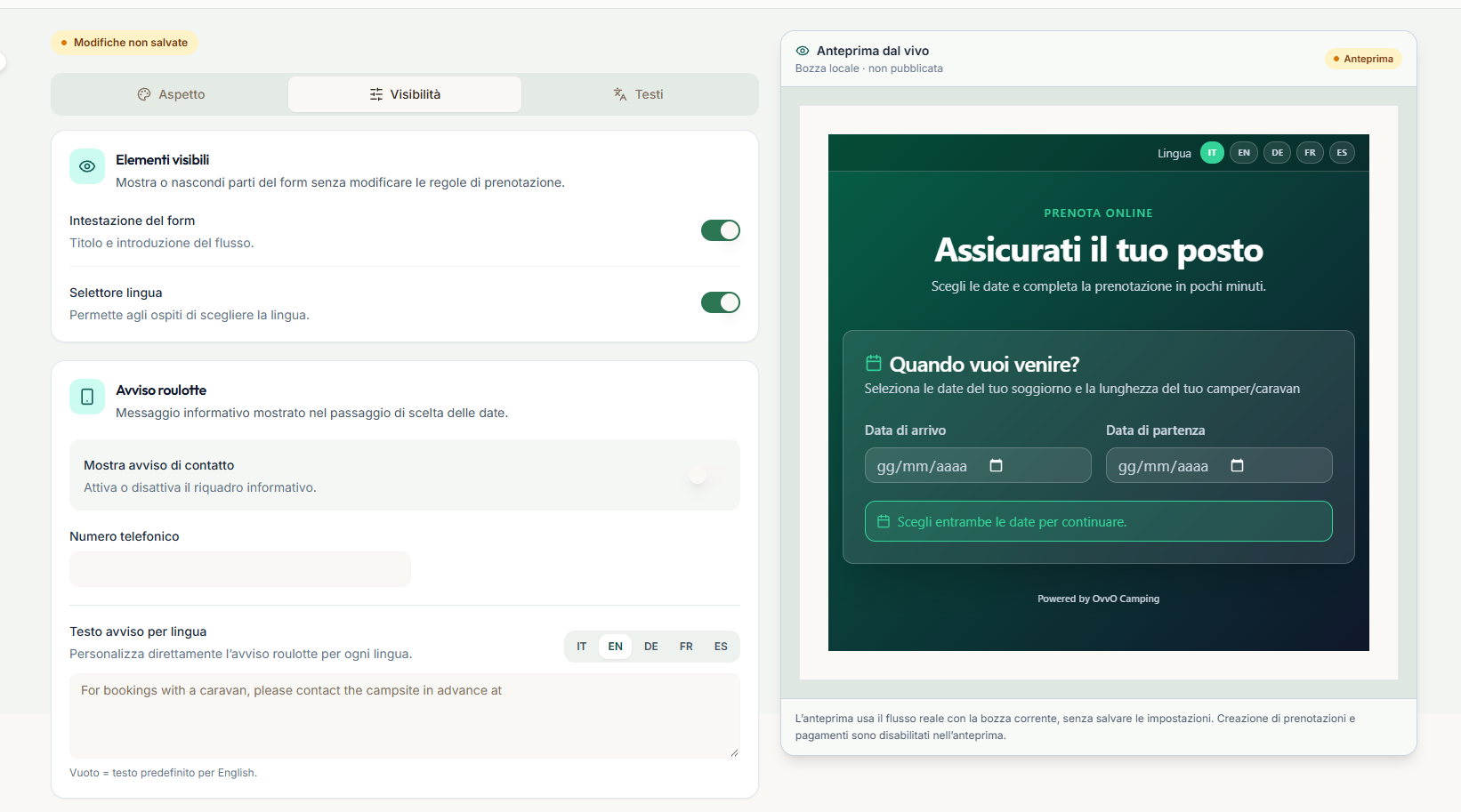
  • Show or hide the header and language selector, and customize the caravan contact notice.
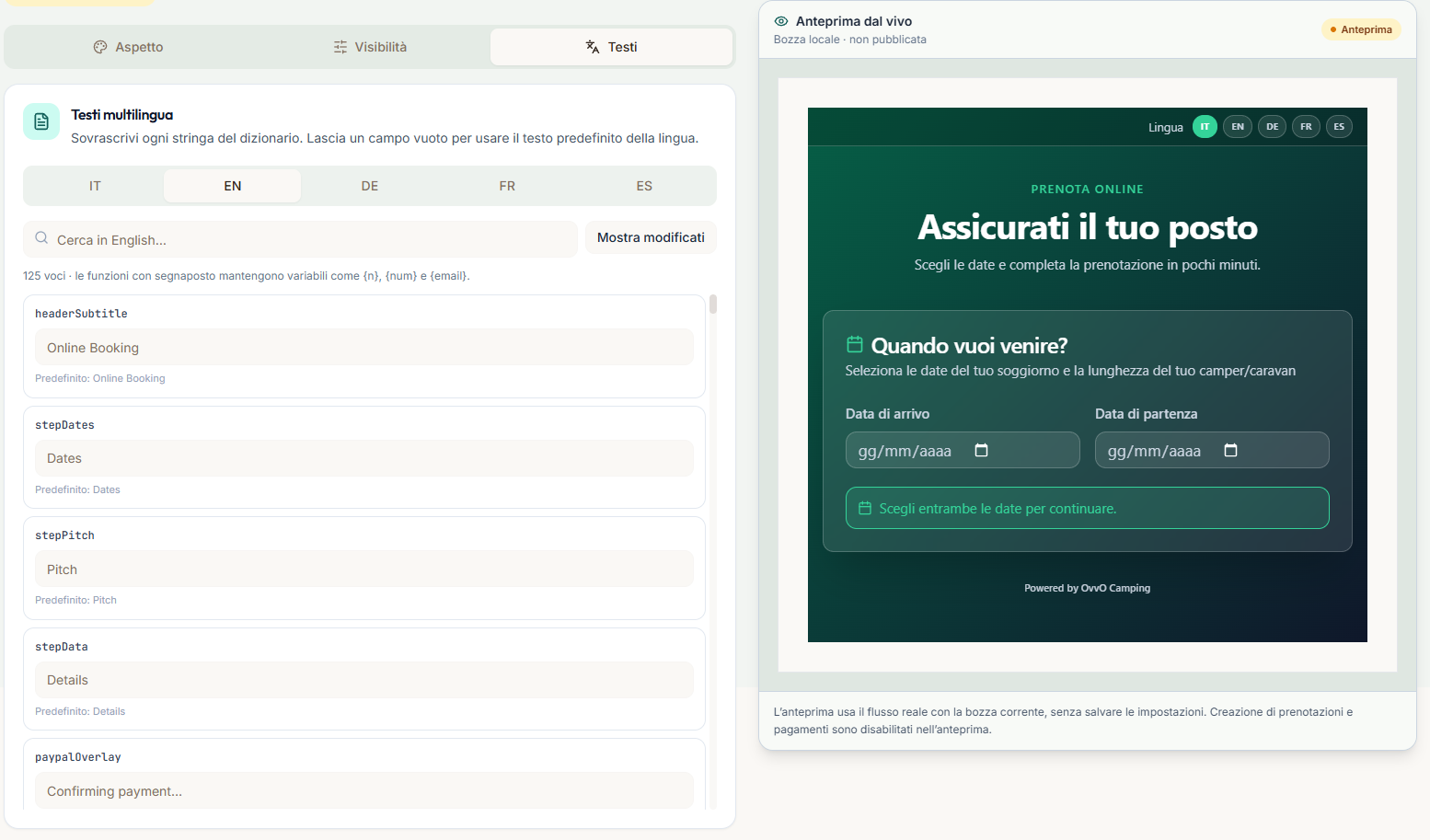
  • Edit 125 items in Italian, English, German, French and Spanish. Blank fields use the default text, and placeholders stay intact.
Booking form appearance settings with a color palette and live preview.
Customize background, card, text, field, button and state colors.
Visibility settings for the header, language selector and caravan notice; the sample contact value is hidden.
Choose which elements appear and configure the contact notice.
Multilingual booking-form text editor beside the form preview.
Edit form copy in five languages while keeping placeholders intact.

The screenshots show an unpublished local draft with unsaved changes. Booking creation and payments are disabled in the preview. The sample contact value in the Visibility panel has been hidden.

Product update

Dashboard & accessThe fourth update

See on-site vehicles and barrier activity at a glance

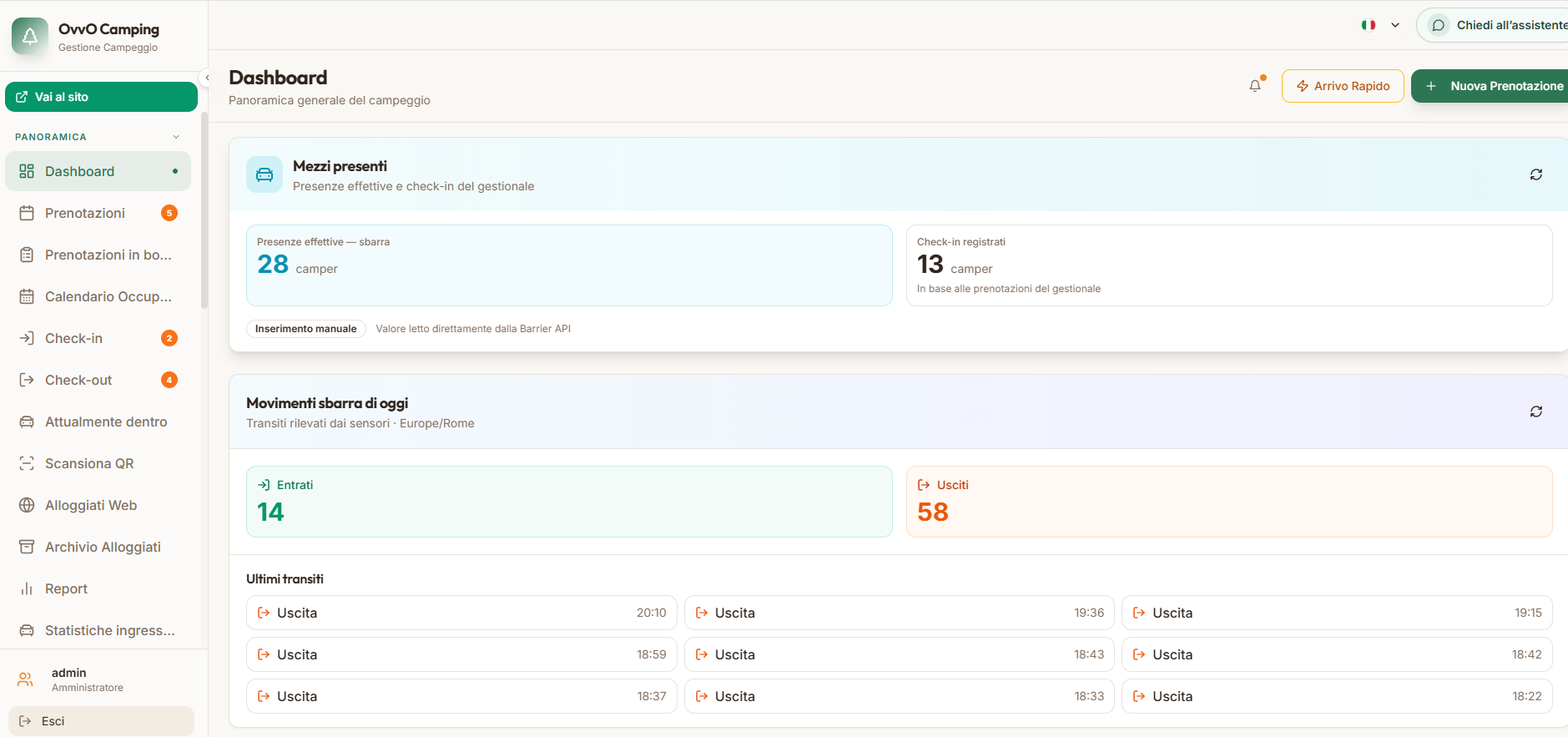
The dashboard puts barrier-reported vehicles alongside check-ins recorded in the management system, and summarizes today's entries, exits and recent passages.

Explore access control

An operational overview in one place

  • 1Actual on-site counts from the Barrier API alongside check-ins based on recorded bookings.
  • 2Daily entries and exits detected by the sensors.
  • 3Recent barrier passages with local times.
OVVO Camping dashboard showing actual vehicles present, registered check-ins, today's entries and exits, and recent barrier passages.
Example dashboard view of on-site vehicles, check-ins and the day's barrier activity.

The figures in the screenshot are examples, not current product data. Actual on-site counts come from the Barrier API; check-ins are based on bookings recorded in the management system.

Product update

Booking statisticsThe fifth update

Analyze bookings by period and source

Switch between daily, weekly and monthly views to review booking volume, acquisition channels, average nights and where bookings come from.

Explore booking statistics

More context for understanding demand

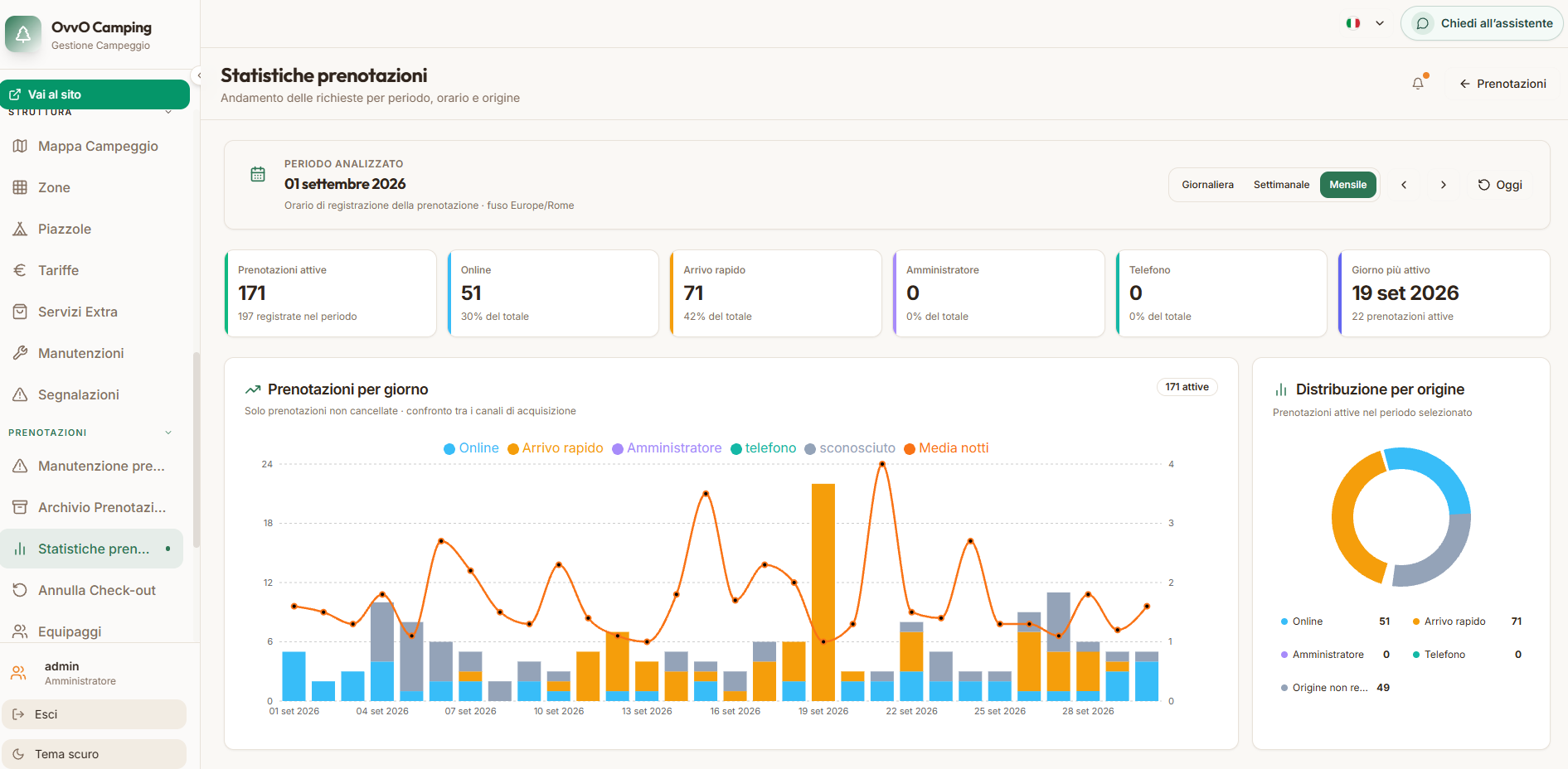
  • 1Review active bookings and bookings recorded in the period, including the date of the latest booking.
  • 2Compare online, phone, administrator-entered and Quick Arrival bookings.
  • 3Track bookings by day, average nights and the distribution of booking sources.
Booking statistics with period selector, channel summary, daily chart and distribution by source.
Example monthly view of bookings by channel, average nights and booking source.

The date range and figures in the screenshot are examples, not current product data.

Product update

Website analyticsThe sixth update

Track visits and devices on your website

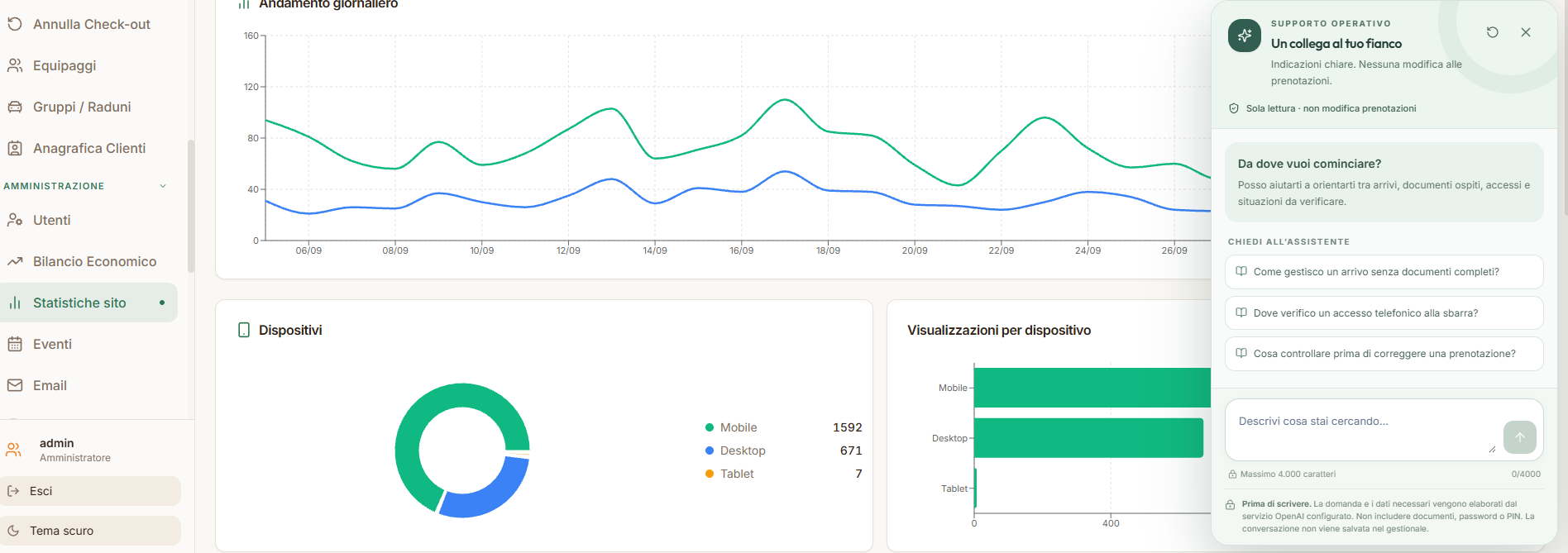
The dashboard shows daily trends, page views and how visits are distributed across devices.

Explore website statistics

Daily traffic and devices at a glance

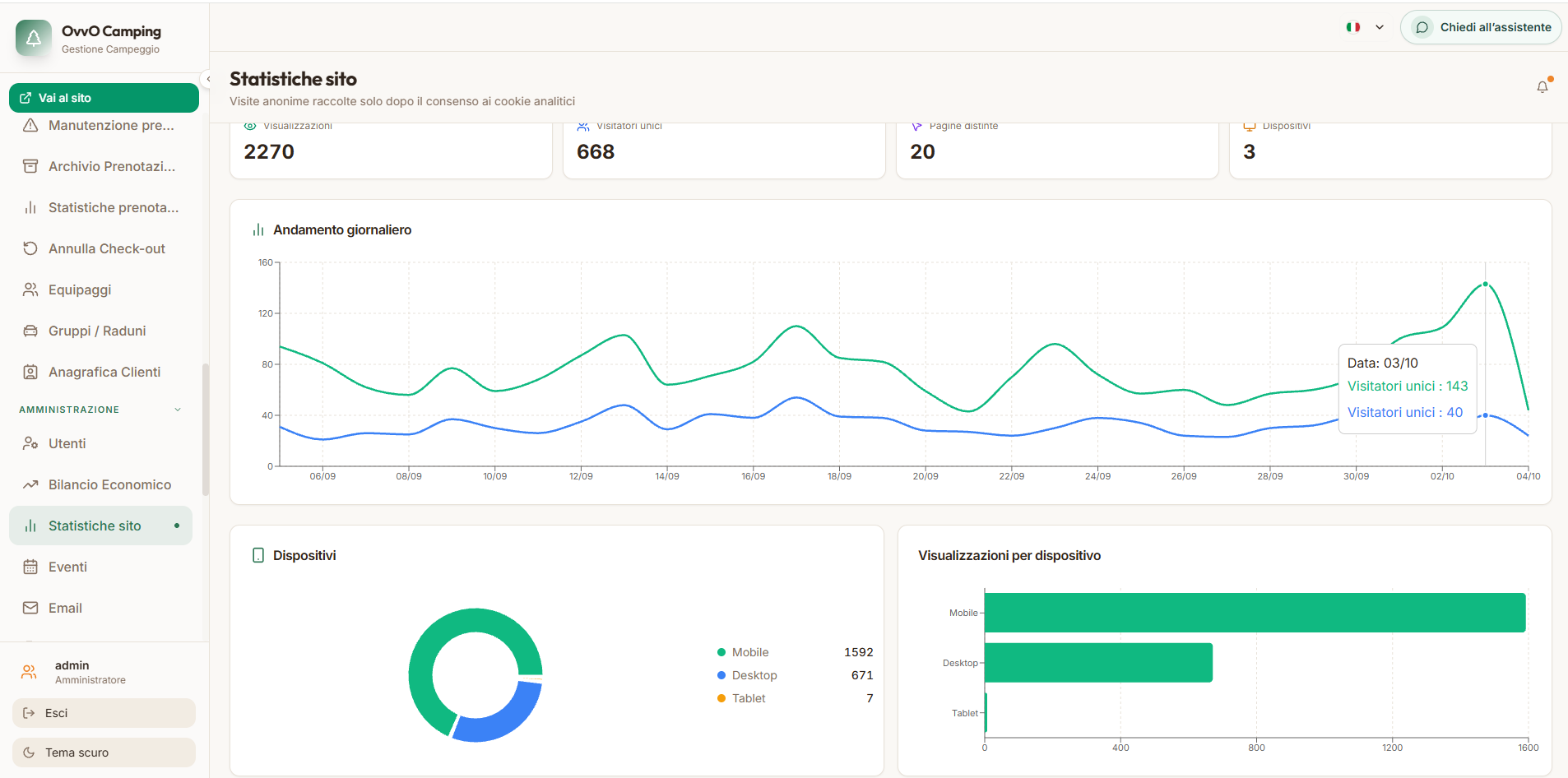
  • 1Compare daily trends for page views and visitors.
  • 2Review unique visitors, new visitors and pages viewed.
  • 3See visits broken down by mobile, desktop and tablet.
Website analytics dashboard with daily trends, visitor summary and a device breakdown.
Example dashboard showing daily trends and visits by device.

The date range and figures are examples. The site’s own analytics tracker runs only after consent; declining turns off tracking.

Product update

AI operational assistantThe seventh update

Ask how to follow a process or find a setting

The assistant knows the management system in depth. Ask how to complete a process, where to find a setting or what to check in a specific situation.

Explore the AI operations assistant

Practical guidance for day-to-day situations

  • 1How do I handle an arrival when some documents are missing?
  • 2Where can I check phone-based barrier access?
  • 3What should I check before correcting a booking?
Italian-language screenshot of OVVO Camping’s AI operational assistant, with questions about arrivals, barrier access and bookings.
The assistant provides operational guidance; the panel shown is read-only and does not change bookings.

The questions in the screenshot are examples. The assistant helps users find features and procedures without changing bookings.

A growing collection

Future updates, all in one place.

When OVVO Camping adds a feature or improvement, we’ll share what changes in the day-to-day work here.

Explore access control
Chat with us